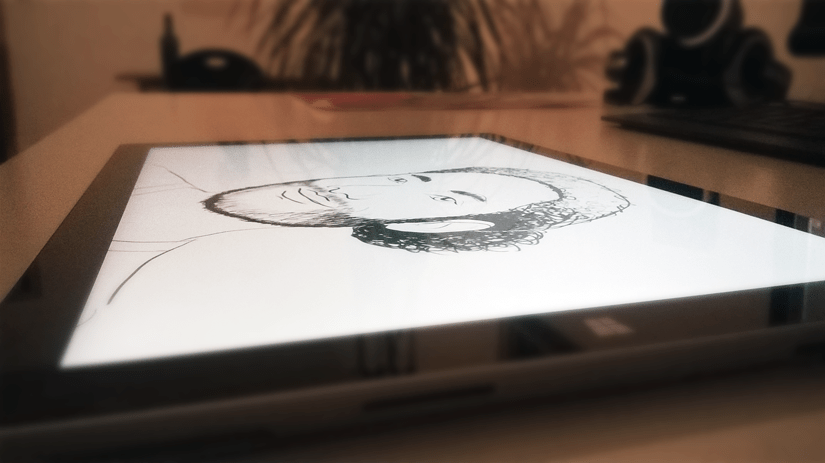
… and the reason why my gravatar is black and white…
Since I bought my first tablet, a Surface Pro 2 which came with a stylus I was excited to use it as a drawing tool. I thought that’s the first thing you would want to do, at least if you are fond of sketching, right? That was me, the guy who is fond of sketching and had a tablet + stylus.
So one of the first things I did was going to the app store, and what I found were two drawing / sketching apps, I guess, first freshpaint and second sketchbook express. I tried the first one and couldn’t achieve anything pleasant looking. I think that was because it’s more targeted at painting as opposed to sketching. And right now I am more into sketching and don’t find my talent in painting and also I didn’t like the overemphasis of the look and feel of real paper, pen and paint. Then I tried the second one and found it to be of some use. It was clearly more tailored for the purpose of sketching. But then again since it was an express version I can’t really say it was tailored at all. Yes, it did a decent job and that for free but it was a bit buggy and lagged some/many features that are crucial, at least to me. But for a year or so I did stick with it and made some sketches but nothing serious.
Meanwhile I looked out for the possibility of buying a license of a previous photoshop version because I didn’t want to pay some 12 € a month for a Creative Cloud subscription especially since I didn’t know how often I would come to sketch. It just didn’t feel right. I also tried Gimp on my main PC for as long as a year or so but I just never came along with it and didn’t thought of it as a sketching tool to try on the Surface. I think there are people who swear on Gimp … I’m not one of them. Otherwise Gimp is a good thing: It is free and open source, and to have alternatives is mostly always a good thing. But my desire to make sketchings on a PC/ tablet dwindled more and more.
To the end of last year I bought the new Surface Pro 3 and I am indescribable happy with it. Really it is the best technical thing I hold in hands since … I don’t know since when, and I had a MacBook Pro of the last generation and that was a very decent device. But more on the capabilities and flaws of the Surface Pro line in a later post.
The new Surface however with its larger screen and new aspect ratio (nearly DIN A4) and better pen gave my old desire for a good sketching tool new momentum. I wanted it so badly that I found me searching on the sides of Adobe and its creative cloud again but still didn’t want to pay what was asked. My brother then told me of yet another Photoshop alternative called Krita. Its like Gimp, free and (for me) unintuitive as well in the first and second moment and in the moment after that. I think Krita is also a very good tool if you have a NVIDIA or AMD graphics card and are willing to do a bit of learning but Krita seemed not to recognize the Intelgraphics of the Surface Pro 3 and therefore was lagging when drawing on larger canvases. Looking for a solution I found the blog called Surface Pro Artist from Rick Rodriguez on which he reported in a post all kinds of drawing programs he had tried on a Surface Pro 3 and how well they did work there. Krita was listed as working but nothing more in detail.
There might have been a solution to the Krita problem but I just was weary of the searching and trying. I just wanted a result since it was 5 a.m. in the morning and on the very same blog Rodriguez recommended Sketchbook Pro for the Surface Pro 3. I had seen screen shots of that application but I didn’t think much of it back then, but then I gave it a try and looked up some screen casts on you tube and what I found was amazing. A program seemingly committed to the pen and touch input and containing elaborate sketching and drawing tools. That was a program to my taste. In the very same night (I really couldn’t sleep) I bought a one year subscriptin for nearly 25€ and produced the my first sketch with it, which is now part of the very gravatar you see on this blog, all in black and white, nothing to fancy. So that was when I eventually came down and found some sleep. This is how I got to my new sketching tool.
 blackLogger